
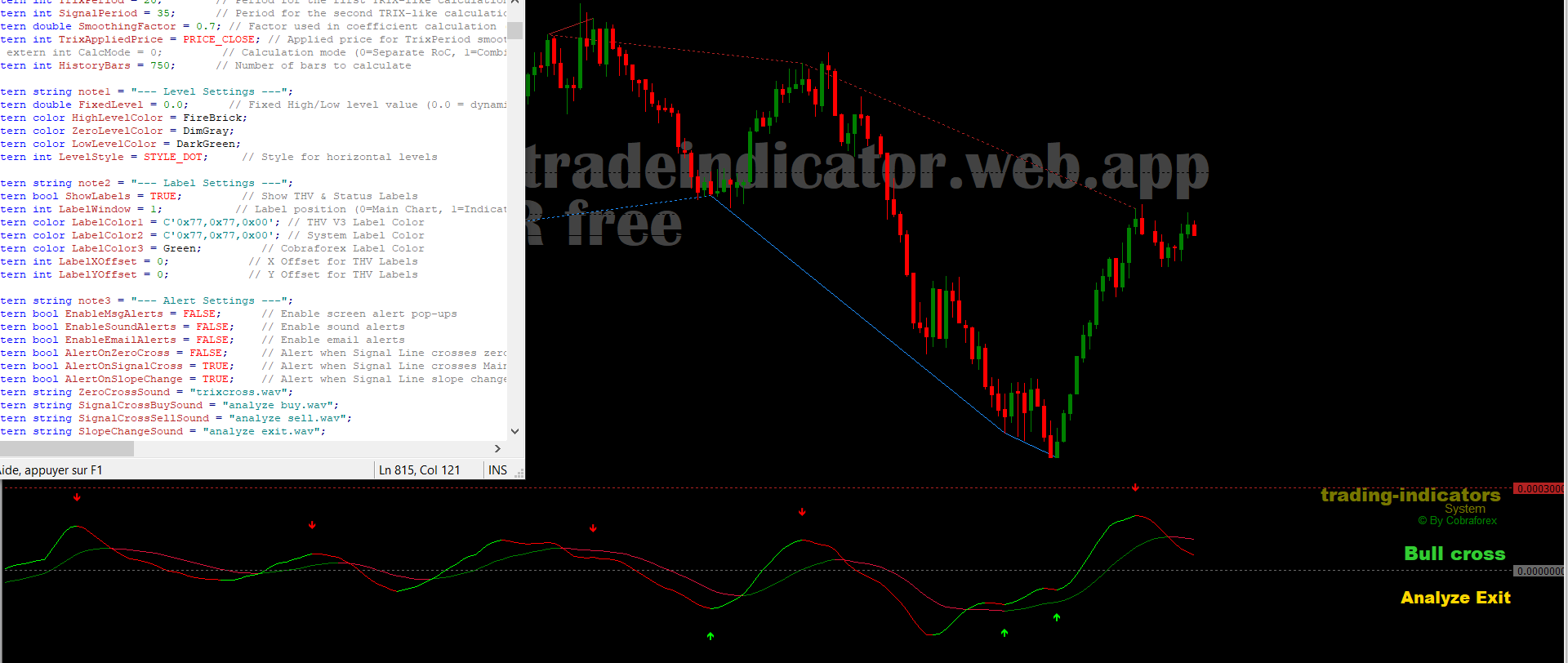
🚀 Why THVTrixMod?
Tired of lagging indicators and false signals? Meet THVTrixMod—a fusion of next-gen TRIX smoothing, smart divergence detection, and laser-focused alerts. Designed for binary/digital options and scalpers, it’s your market GPS.
✨ Key Superpowers:
- 6-Layer Smoothing: Filters noise like a pro, using exponential moving averages (EMA) stacked six layers deep.
- Divergence Radar: Spots hidden reversals with classic and reverse divergence logic.
- Smart Alerts: Customizable pop-ups, sounds, and emails for entries, exits, and trend shifts.
⚙️ Core Settings: The Control Trinity
(Click the ⚙️ icon to unlock these!)
1. 📶 Sensitivity (TrixPeriod)
- What it does: Adjusts how fast the indicator reacts.
- Pro Tips:
15-20for M1/M5 scalping 🏎️25-30for H1/D1 swing trades 🧘♂️
- Example:
TrixPeriod=18balances speed and accuracy for 5-minute charts.
2. 📊 Depth (HistoryBars)
- What it does: How far back the indicator scans for patterns.
- Ninja Moves:
750bars → Catches long-term trends 🌊300bars → Perfect for day trading ⏳
- Warning: Values <100 may cause “phantom signals”!
3. 🎚️ Smoothing (SmoothingFactor)
- The Secret Sauce:
0.7→ Balanced (ideal for most markets) ⚖️0.9→ Ultra-smooth (high-news days) 🌪️0.5→ Raw data lover (catch every blip) 🔍
🔮 Advanced Settings: Hidden Treasures
1. 🎯 Divergence Detection (DivergenceLookback)
- What it does: How many bars to check for price/indicator mismatches.
- Gold Settings:
500→ Finds rare, high-impact divergences 🦅200→ For quick intraday plays 🎯
- Pro Tip: Enable
DrawPriceLinesto see divergence zones on your chart!
2. 🔔 Alert System
- The Alert Matrix:
- Zero Cross: When Signal Line flips above/below zero.
- Signal Cross: Main vs. Signal Line crossovers.
- Slope Shifts: Early warnings for trend exhaustion.
- Example: Pair
SoundAlertOnDivergencewith custom .wav files for a tactical edge! 🎵
3. 🎨 Visual Customization
- Colors That Pop:
DodgerBluearrows → Bullish divergences 📈FireBrickarrows → Bearish reversals 📉
- Pro Tip: Use
LabelColor3=Goldfor exit alerts—gold means “stop and think”! 💡
📈 Trading Scenarios: From Theory to Profit
Scenario 1: The Classic Bullish Divergence Play
- Setup:
- Price makes LOWER lows 📉
- THVTrixMod shows HIGHER lows 🚩
- Execution:
- Entry: Buy when price breaks the divergence trendline.
- Stop Loss: 1.5x ATR below the swing low.
- Take Profit: At previous resistance or when Signal Line peaks.
Scenario 2: The Hidden Bearish Reversal
- Setup:
- Price tests a key level 🎯
- THVTrixMod forms a LOWER high while price rallies 📉
- Execution:
- Entry: Short when Signal Line crosses BELOW Main Line.
- Stop Loss: Just above the failed high.
- Take Profit: Ride it down to the next support zone.
⚠️ Code-Cruncher’s Warning List
- News Trap: This indicator doesn’t read news! Always check the Economic Calendar first. 📅
- Over-Optimization Demon: Don’t tweak settings daily—backtest weekly. 🧪
- Confirmation Bias: Pair with:
- RSI (70/30 zones)
- Volume-Weighted MA
- Fibonacci Retracements
🎩 Becoming a THVTrixMod Wizard
THVTrixMod isn’t just lines on a chart—it’s your trading co-pilot. Remember:
“Settings refine edges, but discipline builds empires.”
Remember: No indicator is perfect. Always use proper risk management and combine with other analysis tools for best results. 💡